How to Turn a Pinterest Trend Into a Seasonal Content Plan

By Ruslan Saifullin, Pinterest analytics developer & founder of Pin Stats • Published October 13, 2026
Key takeaways
- What makes a seasonal content plan more than a list of holidays? It plans the work around one idea: what you will create, what you can reuse, what must happen first, and when you will review the result.
- How do I choose which occasion to plan for? Ask what your audience is trying to plan, make, choose or prepare for it. Then narrow the subject into a brief, such as arranging a Thanksgiving table with dishes they already own.
- How early should seasonal content go live on Pinterest? There is no universal lead time. Research the phrase you plan to publish in Pinterest Trends for your region, label any guess as an assumption, and build the production timeline backward from that date.
- When is a Pin ready to schedule? When the whole asset has passed its checks, destination included: the page is live, the link works and the page delivers what the Pin promises. “Scheduled” means it is actually queued in your tool.
- How should I review a seasonal project? Twice: the outcome against the goal in your brief, using each tool's own metric definitions, and the work itself. Early checkpoints are not verdicts, because Pins have no set engagement window.
“Post something for Thanksgiving” is a reminder, not a content plan.
You still need an idea, something useful to create, photos to take, Pins to design, and time to finish everything before your audience needs it. A calendar full of holidays doesn't solve those problems. It just gives them deadlines.
A more useful Pinterest seasonal content plan starts with one relevant idea and plans the work around it: what you'll create, what you can reuse, what must happen first, and when you'll review the result.
This guide walks through that process with a hypothetical home decor creator preparing a green, leaf-inspired Thanksgiving table-setting guide. You can adapt the workflow to recipes, DIY projects, seasonal products, and other content you share on Pinterest.
You'll finish with a practical planning template, not another list of holidays to post about.
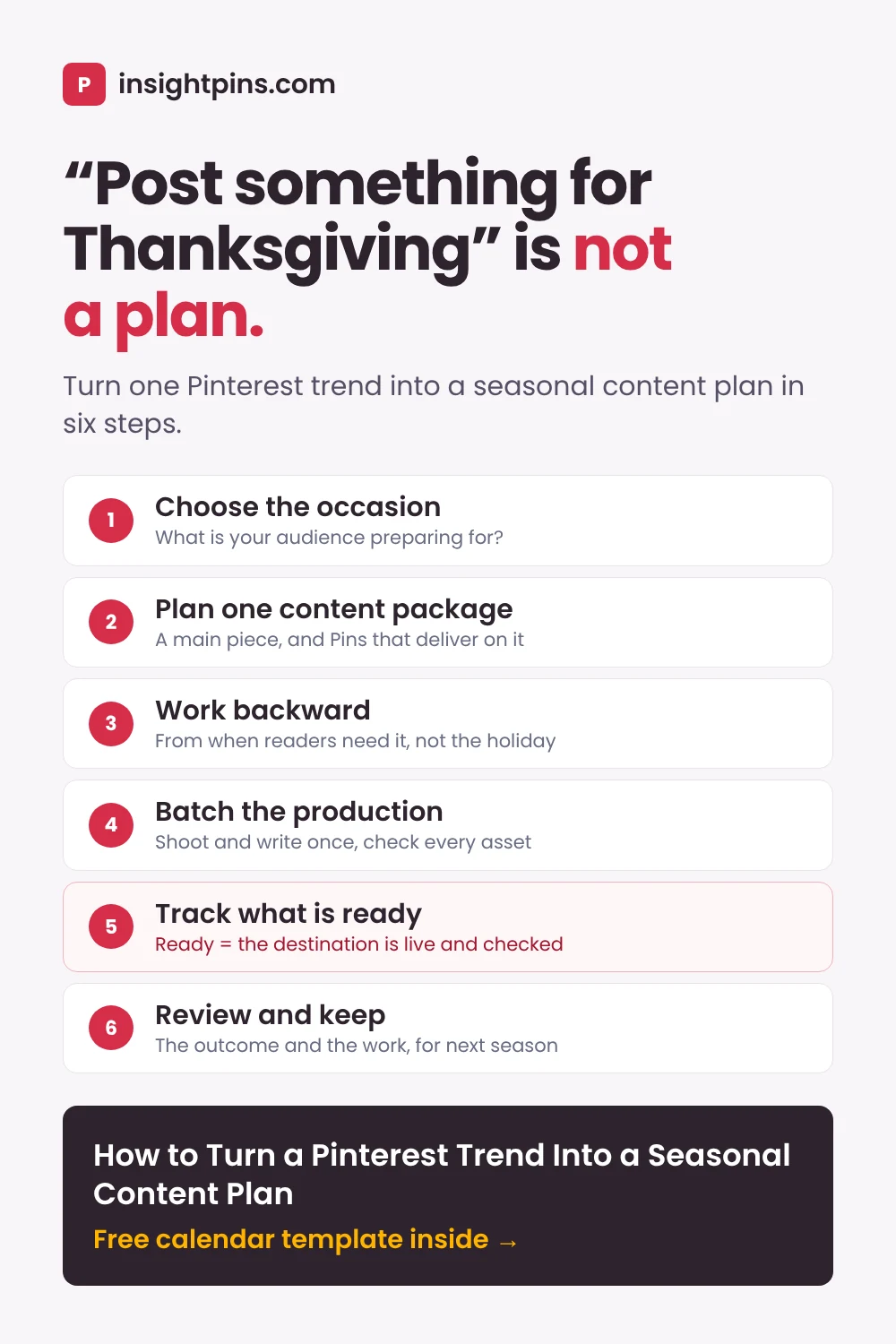
The workflow in brief
- Choose the occasion What is your audience preparing for?
- Plan a content package One main piece, and Pins that introduce it.
- Work backward From when readers need it, not from the holiday.
- Batch the production Shoot and write once, then check every asset.
- Track what is ready Status, blockers and dependencies for each asset.
- Review and keep The outcome and the work, for next season.
- Choose an Occasion That Gives Your Idea a Purpose
- Plan a Seasonal Content Package, Not Unrelated Pins
- Work Backward From When Your Audience Needs It
- Batch the Work Before You Batch the Posts
- Build a Seasonal Content Calendar That Shows What Is Ready
- Review the Season, and Save More Than the Results
- Build Your Seasonal Content Plan With ChatGPT or Claude
- Pinterest Seasonal Content Planning: Common Questions
- Plan the Work, Not Just the Holiday
- Sources and Further Reading
Choose an Occasion That Gives Your Idea a Purpose
Start with the connection between your topic and your audience. Pinterest's 2026 Marketing Playbook recommends choosing trends that fit your brand and products (playbook, p. 7).
That doesn't mean adding a seasonal label to whatever you were already going to publish. Ask:
What is my audience trying to plan, make, choose, or prepare for this occasion?
“Thanksgiving decor” is a broad subject. “Help someone arrange a Thanksgiving table using dishes they already own” is a useful content brief.
The narrower version tells you what to demonstrate, what questions to answer, and what belongs outside the project.
Connect the trend to the task
Pinterest connects Throwback Kid with back-to-school and suggests Cabbage Crush as inspiration for produce-themed home decor (p. 13 and p. 15).
Worked example · the Thanksgiving table
Our Thanksgiving table-setting idea is an editorial adaptation of the decor suggestion, not a campaign or seasonal demand finding documented by Pinterest. For our creator, the connection could be:
“Use green tones and leaf-inspired details to help readers put together a Thanksgiving table without replacing their entire dinnerware collection.”
Now there is a reason for the content to exist beyond the trend's name.
The same exercise could lead you toward a graduation-party project, a back-to-school organization guide, or a summer entertaining tutorial. These are possible applications, not verified trending topics. Choose the occasion that fits your audience and the work you can realistically complete.
For help finding the initial connection, see Your Next Pinterest Content Idea Might Come From Another Niche, which develops the same green table idea from the trend up.
See which occasions are coming up
An occasion is only useful if there is still time to make something for it. Use the year's moments, month by month, to see what to publish for now, what to start making, and what is already here.
The rule behind it: if you publish a set number of months before an occasion (your lead time), then in any month you publish Pins for the occasions inside that window, start making Pins for the month just after it, and treat the current month as already here. Its Pins should be live, so check that they work. With a one-month lead time, in November you publish Pins for December (Hanukkah, Christmas, New Year's Eve) and start making January's (New Year).
The whole year: Pinterest's moments and content ideas, month by month
| Month | Moments | Content ideas |
|---|---|---|
| January | New Year, Martin Luther King Jr. Day | Healthy recipes, home office refresh, vision boards, self-care routines |
| February | The big game, Lunar New Year, Valentine's Day, Presidents' Day, Mardi Gras, Ramadan begins | Game-day recipes, date night ideas, Valentine's Day recipes, comfort food |
| March | Holi, International Women's Day, St. Patrick's Day, Eid al-Fitr | Spring wardrobe, spring tablescapes, home renovation, seasonal cocktails and mocktails |
| April | Passover, Easter, Earth Day, festival season, wedding season | Easter brunch recipes and tablescapes, spring cleaning, festival outfits, garden and outdoor ideas |
| May | Cinco de Mayo, Mother's Day, graduation season, Memorial Day | Prom looks, graduation photos, first apartment decor, BBQ recipes |
| June | Pride, Father's Day, Juneteenth | Dinner party ideas, sports game snacks, packing inspiration, beach beauty |
| July | Fourth of July, International Friendship Day | Easy summer recipes, garden party ideas, road trip and staycation ideas, airport outfits |
| August | Back-to-school season, World Photography Day, International Dog Day | Back-to-school outfits, lunchbox ideas, small desk setups, travel journals |
| September | Labor Day, football season, New York Fashion Week, Latiné Heritage Month, Oktoberfest | Dorm room decor, seasonal capsule wardrobe, 30-minute meals, Sunday reset routines |
| October | Halloween | Halloween decor, costume ideas, pumpkin decorating, Halloween baking, seasonal drinks |
| November | Día de Muertos, Diwali, Veterans Day, Thanksgiving, Black Friday | Thanksgiving recipes, seasonal pie recipes, tablescape DIYs, gratitude cards, warm lighting ideas |
| December | Giving Tuesday, Hanukkah, Christmas, Kwanzaa, New Year's Eve | Holiday party outfits, festive cocktails and mocktails, last-minute DIY gifts, gift wrapping |
Condensed from Pinterest's 2026 content calendar (US edition), which lists the moments and ideas week by week.
Work Backward From When Your Audience Needs It
The occasion date is not the only date that matters. For our Thanksgiving example, consider the difference between choosing a table style, gathering the necessary items, and arranging everything for dinner.
Those tasks suggest different information needs. They do not establish a universal posting schedule.
The playbook recommends connecting launches or promotions to seasonal occasions and using Pinterest Trends for further research (p. 17). Use that research to inform your planning, rather than adopt an unsupported rule such as publishing every seasonal post exactly eight weeks early.
Separate research from assumptions
Investigate the topic you plan to publish. For the example, green thanksgiving table setting would be a phrase to research, not a keyword validated by the report.
For a U.S. audience, check the region associated with the data. Pinterest says keyword-trend results reflect the selected region, while the audience-specific trends section can reflect your worldwide audience even when a region is selected. Some features also vary by region (Pinterest Trends documentation).
Record the market, time period, and metric alongside each observation. A search volume check answers a different question from Trends: roughly how many searches a phrase gets. Our free Pinterest keyword tool gives you the volume for a phrase plus its top related and long tail keywords, two lookups a day.
Your own previous seasonal content may provide additional context. Note when it was published and when relevant activity occurred, while keeping differences between projects in mind. Last year's observations can inform a plan without guaranteeing the same pattern this year.
You can also look at what is already published for the phrase. With the free Pin Stats extension, each Pin in the search results shows its saves, repins, comments and creation date as you browse.
A creation date tells you when another creator published for the season. It says nothing about when people searched or saved, and Pin Stats does not measure clicks or impressions.
When useful evidence is missing, make a provisional timing decision and label it as an assumption. You can still plan the project without pretending to know an exact demand window. The same goes for the lead time in the seasonal timeline in step 1: set it to what your check shows, or keep the default and call it a guess.
Build the production timeline backward
Once you have a proposed publishing window, work back through the tasks:
Planning order · read top to bottom
- 1. Intended publication - The window your research points to, or a labelled assumption
- 2. Final checks - Link, page, photographs, phone preview
- 3. Finished content - The guide complete, the Pin designs approved
- 4. Photography and writing - Setup stages, close-ups, instructions
- 5. Research and materials - Phrase checks, and the pieces for the table
the work itself runs from 5 up to 1
Our suggested workflow for the worked example, not a Pinterest requirement. Estimate each task, then place it in time you actually have.
For the table-setting guide, allow time to gather the pieces, arrange the table, photograph the process, write the instructions, and check the finished page.
Estimate the effort required for each task and place it in time you actually have available. Leave room for plausible problems, such as missing photographs or instructions that need revising.
Your production deadline is something you manage. Your audience's timing is something you investigate.
When the project no longer fits the available time, reduce its scope or choose another occasion. Don't preserve an ambitious calendar by removing the work that makes the content useful.
Batch the Work Before You Batch the Posts
Instead of completing every Pin from start to finish separately, try grouping similar production tasks.
Research the topic together. Prepare the setup. Capture the necessary images. Write the copy. Then assemble and check the assets.
Plan the photographs before building the setup
For our table-setting project, prepare a shot list before arranging anything.
Worked example · the shot list
- The finished table, for the guide and the finished-table Pin.
- A useful overhead view.
- Close-ups of the details the guide explains, for the detail-focused Pin.
- Each stage of the setup, one photograph per instruction, for the optional instruction Pin.
Capture those stages as you build the arrangement. A final photograph cannot explain a step you forgot to document.
Think about the planned Pins, too. Leave suitable space for text where the design needs it, and check that the important details remain visible in the intended crop.
Keep a reusable project folder
Store the brief, research notes, original images, editable designs, approved copy, and final assets together.
Use filenames that identify each item, such as thanksgiving-table-overhead or thanksgiving-table-pin-detail. Distinguish working versions from approved files.
Templates can help you reuse a design's structure, but review every new version. Check the wording, image choice, and destination rather than treating last season's design as automatically ready.
Keep optional ideas separate from the minimum scope. Finish the core guide and its first supporting Pin before allowing additional concepts to expand the project.
Build a Seasonal Content Calendar That Shows What Is Ready
A useful seasonal content calendar should answer more than “What goes out on Friday?” It should also show what is unfinished, what depends on it, and what needs a decision.
Keep the overall brief above the calendar. Use one row per publishable asset, with a short checklist of production tasks attached to that row. Record these columns:
| Column | What to record |
|---|---|
| Asset | One publishable item: the guide, or one Pin. |
| Purpose | The one job this asset does in the package. |
| Must be finished first | Its dependencies, such as a live guide or a particular photograph. |
| Ready by | Your production deadline for the whole asset, destination included. |
| Publish | The publication date your research and production time support. |
| Status | Planned, in production, ready, scheduled, or published. |
| Blocker | What is stopping progress right now, if anything. |
| First checkpoint | When you will first review it, after checking it the day it goes live. |
| Destination URL and file location | Where the asset links, and where its final files are kept. |
| Owner | For a team project. Leave it out when you work alone. |
The CSV opens in Google Sheets, Excel or Numbers with these columns and the four rows of the worked example below as samples. Replace the dates with your own.
A worked seasonal content calendar
Below is a hypothetical October 2026 schedule for our Thanksgiving project. All rows are plans, not completed work or reported results.
Worked example · the October calendar
| Asset | Must be finished first | Ready by | Publish | Status | First checkpoint |
|---|---|---|---|---|---|
| Styling guide | Photos and checked instructions | Oct. 19 | Oct. 21 | Planned | Nov. 6 |
| Finished-table Pin | Live, checked guide and final image | Oct. 22 | Oct. 23 | Planned | Oct. 30 |
| Detail-focused Pin | Live guide and detail photograph | Oct. 22 | Oct. 27 | Planned | Nov. 3 |
| Optional instruction Pin | Live guide and complete step photographs | Oct. 22 | Oct. 30 | Planned | Nov. 6 |
Notice the order: the guide goes live before the linked Pins are marked ready. Check each asset immediately after publication, too; the later checkpoint is not a reason to postpone checking a live link.
The supporting designs could be drafted earlier. In this workflow, “ready” means the entire asset, including its destination, has passed the publication checks.
The optional instruction Pin can be removed without leaving the core project incomplete. After the first checkpoints, choose further review dates as needed, including a post-season review.
Give each status a clear meaning
Use a small set of statuses, and agree on what each one means before the work starts:
| Status | Means |
|---|---|
| Planned | In the calendar. Work has not started. |
| In production | Work has started on the asset or on its destination. |
| Ready | The whole asset, destination included, has passed the publication checks. |
| Scheduled | Actually queued in your publishing tool. A date in your planning document does not schedule a Pin by itself. |
| Published | Live, and you have confirmed that the live version is correct. |
Keep a separate blocker note when something prevents progress. “Waiting for a detail photograph” is more actionable than leaving an item indefinitely “in production.”
Marked ready too early
- Pin design approved - The image and headline are final
- Guide not live yet - Step photographs still missing
- Link opens a draft - Fails the publication checks
Actually ready
- Guide live and checked - Instructions match the photographs
- Headline matches the page - The guide delivers what the Pin promises
- Link and phone preview pass - Opens the intended page
For the first Pin, the honest status is “in production”, with the blocker “waiting for step photographs”. The rule is our workflow's, not Pinterest's.
Check the whole experience before publishing
Read the Pin headline alongside the destination page. Does the page deliver what the Pin promises? Pinterest's guidance recommends working links, and Pins whose images, text and keywords match the landing page (Pin performance and distribution).
Check that the link opens the intended page, photographs match the instructions, and referenced products or downloadable materials are available as described. Preview the content on a phone as well.
For the table-setting example, a headline promising step-by-step instructions should lead to actual steps, not only a photograph of the finished table.
When a dependency slips, adjust the affected publication dates rather than publishing around an unfinished destination. Check your chosen scheduling tool's current limits before queuing the work; the example calendar is not a claim about any tool's scheduling capacity.
Our comparison of Pinterest scheduling tools lists what each free plan allows. If you queue the Pins through a bulk upload file, the free Pinterest CSV checker lists the rows that would fail before you upload it.
Scheduling is the final administrative step. It is not a substitute for finishing the content.
Review the Season, and Save More Than the Results
Plan two kinds of review: what happened after publication, and how the work went. Both can inform the next project.
Review the outcome against the original goal
Return to the goal in your brief. For our creator, that means examining visits to the styling guide in their own website analytics, using the available source information to assess Pinterest traffic. Record the reporting source, metric, and period so later comparisons have context.
Keep each measurement under its own name, from the tool that defines it:
| Measure | Where it comes from | What it counts |
|---|---|---|
| Outbound clicks | Pinterest Analytics (business account) | Actions that lead people to a destination off Pinterest |
| Pin clicks | Pinterest Analytics (business account) | Clicks that open a Pin in close-up |
| Sessions or visitors | Your website analytics | Visits to your site, by that tool's own definition |
Pinterest requires a business account to access Pinterest Analytics, and its definitions are in the Pinterest Analytics documentation. Don't rename saves or clicks as confirmed site visits.
If your goal is different, choose a measure that reflects it. Don't silently substitute an available number for the outcome you care about. Our guide to reading Pinterest save counts explains how to keep those research questions separate.
An early check might reveal a broken link, an unclear headline, or too little information to justify a conclusion. Decide whether to fix something, investigate further, develop another relevant angle, or continue observing.
When comparing results, account for differences in time since publication, available exposure information, and whether activity was organic or paid. Avoid assuming that one creative choice caused the difference. Pinterest also notes that real-time analytics are estimates and can change.
Review the work itself
Ask what took longer than expected. Which tasks had to be repeated? Which photographs served several purposes? What information was missing from the original brief?
Record actual effort where practical. That gives you a basis for evaluating whether the workflow helped, rather than assuming batching saved time.
Worked example · a production note
“The finished-table and detail Pins used the same photo session. The instructional version needed additional images. Next time, check the complete shot list before dismantling the setup.”
That is more actionable than “be more organized.”
Prepare the project for reuse
Keep editable files, useful photographs, instructions, and production notes together. Set a reminder to reassess the project before another relevant season.
Reuse should begin with a review, not an automatic repost. Check whether the content still serves your audience, whether links and details remain accurate, and whether the topic deserves another round of attention.
Keep reusable knowledge separate from year-specific assumptions. Reassess a trend's fit rather than assuming a 2026 forecast automatically applies next year.
The result should be a project you can evaluate and adapt, not a folder you feel obliged to republish.
Build Your Seasonal Content Plan With ChatGPT or Claude
Neither ChatGPT nor Claude knows when your audience searches for a seasonal topic: neither has Pinterest's search data, and neither knows how much time you actually have. Neither can schedule or publish a Pin on its own.
What they do well is the paperwork in between: turning an idea into a brief, listing the assets a package needs, working a schedule backward from dates you supply, and catching a Pin marked ready before its destination is live.
ChatGPT or Claude: which to use for each job
| Job | ChatGPT | Claude | Pick |
|---|---|---|---|
| Turn an idea into a brief and a content package | Yes | Yes | Either |
| Work a production schedule backward from your dates | Yes; check every date it returns | Yes; check every date it returns | Either |
| Draft a shot list from the guide's outline | Yes | Yes | Either |
| Mock up a Pin layout to test the crop and text space | Built-in image generation | No built-in image generation; works through the Canva or Adobe connectors | ChatGPT |
| Tell you when people search for the topic | No | No | Neither: use Pinterest Trends |
| Schedule or publish the Pins | No | No | Neither: queue them yourself |
Features as described in September 2026. Both assistants change often; check before you build a routine on one feature.
Use the one you already pay for. Choose ChatGPT if you also want a quick mockup of the Pin.
Three prompts to copy
Replace everything in square brackets. Each prompt works in either assistant.
I create [content type] for [audience] and share it on Pinterest.
Occasion: [occasion and its date]
Idea: [one sentence: what I want to help readers plan, make, choose or prepare]
Existing content I could reuse: [titles, or "none"]

1. Write a six-line brief: Audience, Reader promise, Main content, Goal, How I'll measure it, Minimum scope.
2. For each existing item, say reuse, update or replace, and why.
3. List the main piece of content and up to three supporting Pins. Give each Pin one purpose and a headline the main content actually delivers.
4. Mark everything outside the minimum scope as optional.

Do not claim search volume, demand, seasonal timing or results. Wherever timing matters, write "to research".The main content goes live on: [date]
Pins that link to it, with the date I want each one published: [list]
Time I have each week: [hours]
Tasks and my estimate for each: [task - hours, one per line]
Work backward from the dates and give me a table with these columns:
Asset, Must be finished first, Ready by, Publish, Status, First checkpoint.
Rules:
- A Pin's "Ready by" date falls after the date its destination is live and checked.
- Every Status starts as "Planned".
- If the tasks do not fit the hours, name the optional asset to drop instead of squeezing the schedule.
Check every row against these rules before you answer, and list any date you had to move.Here are my notes from a seasonal project.
Brief: [paste]
Calendar with the dates things actually happened: [paste]
Results, each with its source, metric and period: [paste]
Production notes: [what took longer, what was redone, what was missing]
1. Compare the results with the goal in the brief. Keep every metric under its own name; do not treat saves or clicks as site visits.
2. Say what the results cannot tell me yet, for example because of time since publication or paid activity.
3. Suggest three changes to the workflow for next season, each tied to one of my notes.
4. List what to reuse, what to update, and what to retire.Prompt 1 works better with evidence. With the free Pin Stats extension, note the saves, repins and creation dates of the top Pins for your phrase as you scroll, and paste them in with a line asking what those Pins already cover. On Pin Stats Pro you can export the whole search as a CSV and attach it instead.
Prompt or project: which to set up
- A prompt is enough for one occasion. Copy the three above.
- A project suits a whole season, in either assistant. Put your brief template, the calendar columns, your board names and last season's production notes in a ChatGPT or Claude project once, then run Prompts 1 and 2 for each new occasion.
Pinterest Seasonal Content Planning: Common Questions
How far ahead should I publish seasonal content on Pinterest?
There is no lead time that fits every topic. Look up the phrase you plan to publish in Pinterest Trends for your region, check when your own past seasonal content picked up activity, and plan production backward from the window that research suggests.
When you have no evidence, pick a date and label it an assumption rather than borrowing a fixed rule.
What should a Pinterest seasonal content calendar include?
One row per publishable asset, with its purpose, what must be finished first, a ready-by date, a publish date, a status, any blocker, and a first checkpoint. Add the destination URL and file location where relevant, and an owner for team projects. Keep the project brief above the calendar.
Should I repost last year's seasonal Pins?
Start with a review, not a repost. Check whether the content still serves your audience and whether its links and details are still accurate. Pinterest advises against duplicate Pins, so reuse your preparation and make a new Pin when you have a genuinely different angle, rather than uploading the same one again.
How do I know if a seasonal Pin worked?
Go back to the goal in your brief and measure that, with the tool that defines the metric: website analytics for visits, Pinterest Analytics for outbound clicks and Pin clicks. Keep the metrics separate.
Pinterest says Pins have no set engagement window, so treat an early check as a checkpoint rather than a verdict.
Can ChatGPT or Claude build my seasonal content plan?
They can draft most of the paperwork: the brief, the content package, a production schedule worked backward from dates you give them, and a post-season review.
Neither can see Pinterest search data, so neither knows when your audience searches, and neither can schedule Pins for you. Research the timing yourself, check every date they return, and queue the Pins in your own tool.
Plan the Work, Not Just the Holiday
“Post something for Thanksgiving” leaves almost every important decision unfinished. A workable plan tells you what you're making, who it helps, what you can reuse, what must happen first, and when you'll decide what to do next:
- Choose an occasion your audience is actually preparing for.
- Define one content package: a main piece, and Pins that deliver on it.
- Work backward from researched timing, and label your assumptions.
- Batch the production, and check every asset against its destination.
- Mark an asset ready only when its destination is live and checked.
- Review the outcome and the work, and keep what you can reuse.
Start with one upcoming occasion. Define one useful content package. Then schedule the next unfinished production task, not just the publication date.
You don't need a bigger seasonal calendar. You need a clearer path from idea to publication.
Sources and Further Reading
Primary inspiration: Pinterest Predicts 2026 Marketing Playbook, UK edition. Relevant printed pages: 7 for brand fit, 9 for content planning, 13 for seasonal examples, 15 for cross-category inspiration, and 17 for the checklist. Printed page numbers differ from the PDF viewer's page count; the links in this article open the corresponding PDF pages.
Research resource: Pinterest Trends and Pinterest's guide to using it, which explains regional settings, indexed keyword-trend data, and feature availability. No live search measurements or U.S. seasonal demand estimates are presented in this article.
Measurement reference: Review Pinterest Analytics, Pinterest's definitions and reporting guidance for interpreting your own account's results.
Publishing and review reference: Pin performance and distribution, Pinterest's guidance on links, content relevance, duplicate Pins, and interpreting performance over time.
Related InsightPins guides: keyword watchlists, reading save counts, and finding ideas outside your niche.
Editorial note: the content ideas are inspired by the playbook. The production workflow, the hypothetical creator, the content package and the calendar dates are our illustrative examples, not an official Pinterest methodology or a documented campaign. Pinterest's help documentation is used only to clarify tool behavior, publishing guidance, and measurement. No traffic increase or time saving is guaranteed.
See what is already published for your seasonal topic
Pin Stats is a free Chrome extension that shows per-pin saves, repins, likes, comments and creation dates as you browse Pinterest, on your own pins and on anyone else's. Search the phrase behind your seasonal idea and see which Pins already exist, and when they were created, before you plan your own.