Streamline Your Workflow with These Features
Discover all the powerful tools that make Pin Stats the ultimate Pinterest analytics extension
Get Started FreePin Stats features
View Detailed Stats for Each Pin
Get comprehensive analytics for every pin including saves, repins, likes, comments, and engagement rates. Uncover hidden insights that Pinterest doesn't show by default.
Keyword Explorer with Real Search Volumes
Turn one seed keyword into hundreds of related Pinterest keywords, each with the monthly search volume Pinterest itself reports. Free and Pro include a limited preview; full access comes with Extended Pro. See how it works →
Download Pins in High Quality
Save images and videos from Pinterest at their original high resolution. Perfect for content creators, marketers, and designers who need quality visual assets.
Autoscroll for Time-Saving
Automatically scroll through Pinterest feeds to quickly gather data from multiple pins without manual effort. Save hours of browsing time.
Automatically Save Pins to Stats Table
Every pin you view gets automatically saved to your analytics table for future analysis. Build a comprehensive database of pin performance data.
Filter Pins by Engagement Metrics
Filter your pin collection by saves, repins, likes, and comments to quickly identify high-performing content and trending patterns.
Sort Pins by Multiple Criteria
Sort your pins by saves, repins, likes, comments, or creation date. Easily identify your best-performing content and optimize your strategy.
Search Pins Easily by Keywords
Quickly find specific pins in your collection using powerful keyword search. Locate content by title, description, or any custom tags you've added.
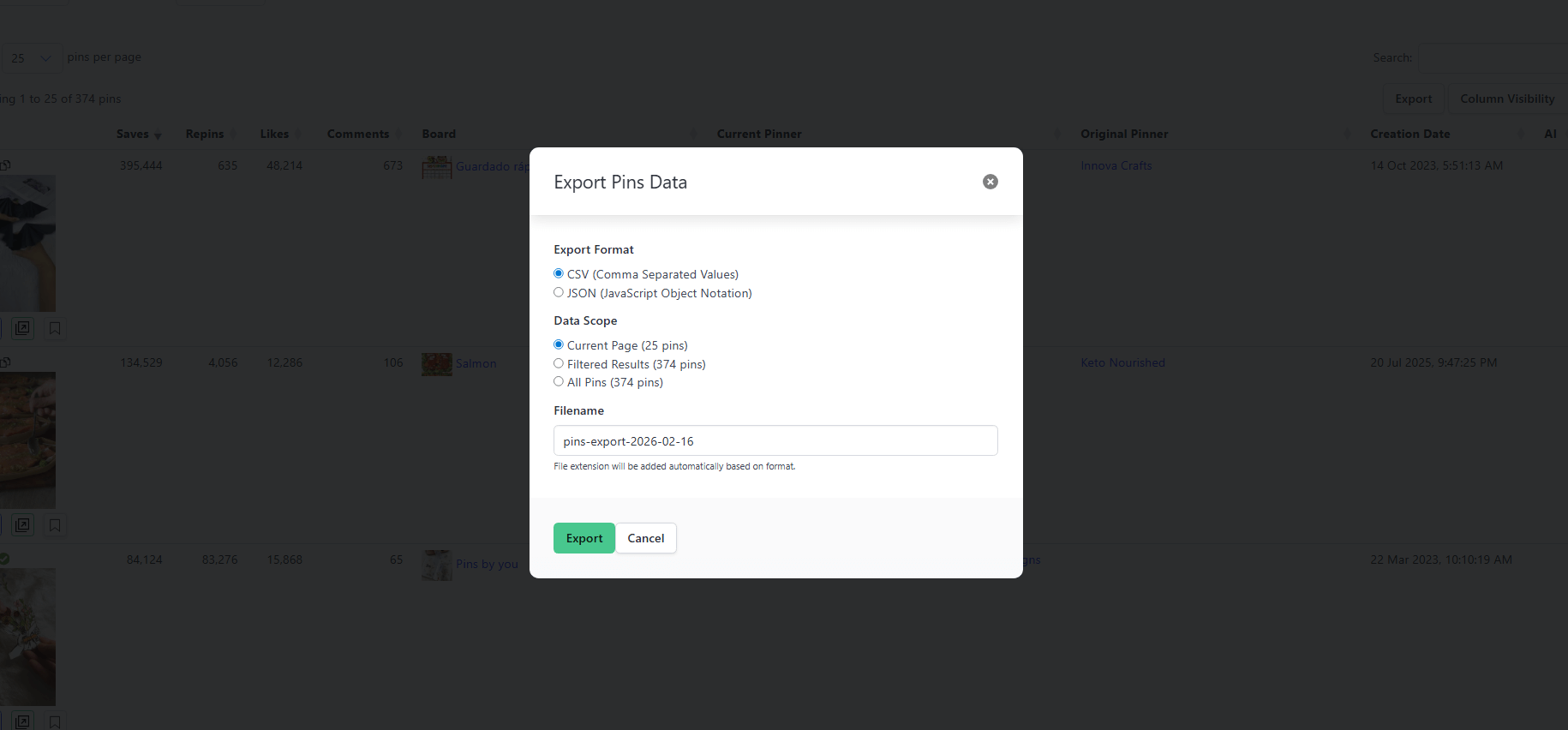
Export Data to CSV/JSON for Analysis
Export all your pin data to CSV or JSON for deeper analysis in Excel, Google Sheets, or other analytics tools. Perfect for reporting and presentations.
New Features Coming Soon
We're constantly improving Pin Stats with new features based on user feedback. Keyword Explorer shipped in 2026, and keyword research is where the work continues.
Free vs. Pro vs. Extended Pro
Compare every plan and see what unlocks with Keyword Explorer in the Extended Pro tier. ◐ means a limited preview: you can run a search and see how it works, with the results locked.
| Feature | Free Version | Pro Version | Extended Prowith Keyword Explorer |
|---|---|---|---|
| Keyword Explorer with real Pinterest search volumes | ◐preview | ◐preview | ✔ |
| Hundreds of related keywords from one seed (boards, questions, trending) | ✖ | ✖ | ✔ |
| Reveal Hidden Pin Stats | ✔ | ✔ | ✔ |
| Hide AI Generated & Ad Pins | ✖ | ✔ | ✔ |
| Sort by Basic Metrics (e.g., Likes, Comments, Creation Date) | ✔ | ✔ | ✔ |
| Basic Filters (saves or repins over 5,000 or 10,000, bookmarked pins) | ✔ | ✔ | ✔ |
| Download High-Quality Media | ✔ | ✔ | ✔ |
| Unlock Advanced Filters (by min/max saves, likes, comments, date, pin type, ads, AI pins) | ✖ | ✔ | ✔ |
| More Sort Options (by any column) | ✖ | ✔ | ✔ |
| Export Data to CSV/JSON | ✖ | ✔ | ✔ |
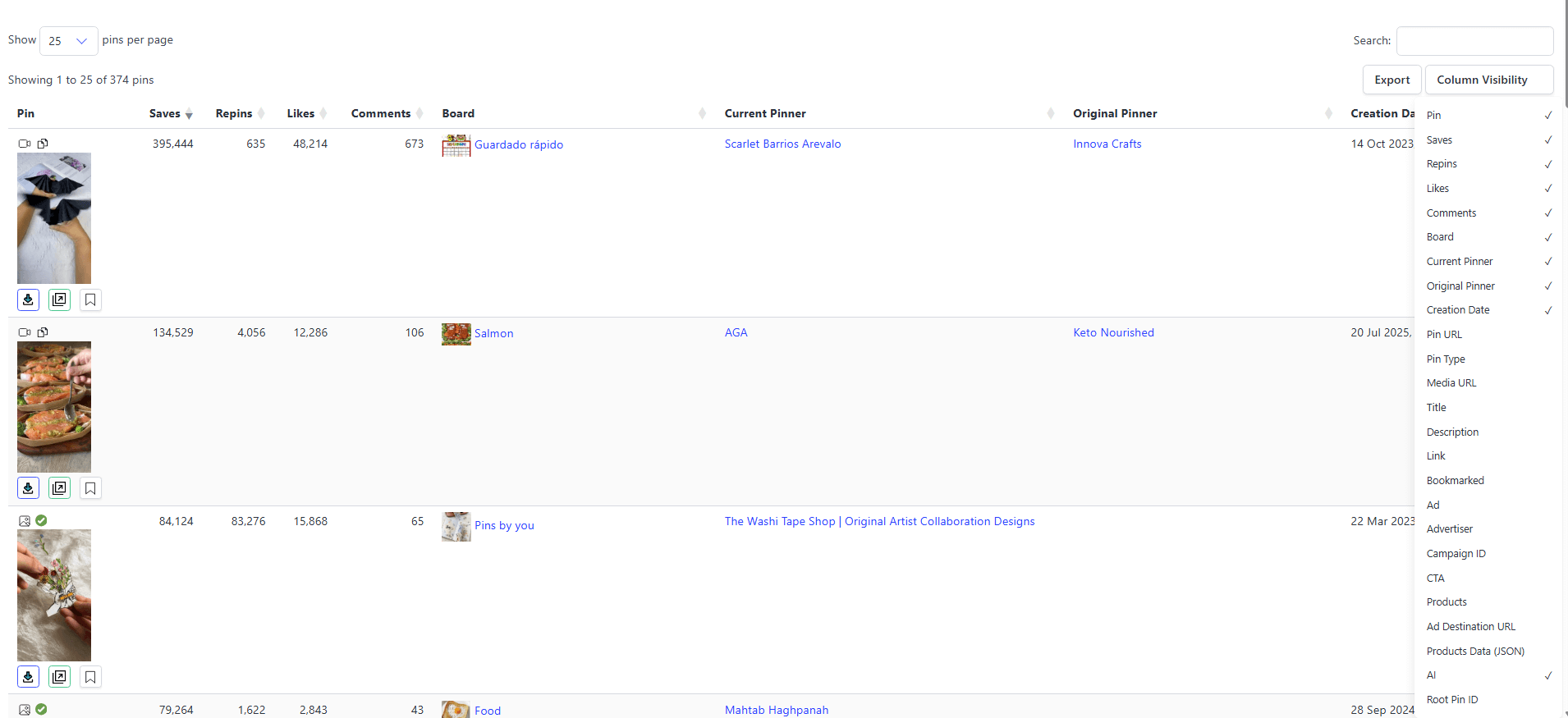
| Setup Column visibility | ✖ | ✔ | ✔ |
| Priority Support | ✖ | ✔ | ✔ |
| Future updates included | ✖ | ✔without Keyword Explorer | ✔ |
| Get Free Version | Upgrade to Pro | Get Extended Pro |
See Pin Stats in Action
Watch how Pin Stats transforms your Pinterest experience with powerful analytics and time-saving features
Pin Stats Demo Video
Click to watch the extension display stats for each Pin
Extension Interface
How paid version of extension looks like
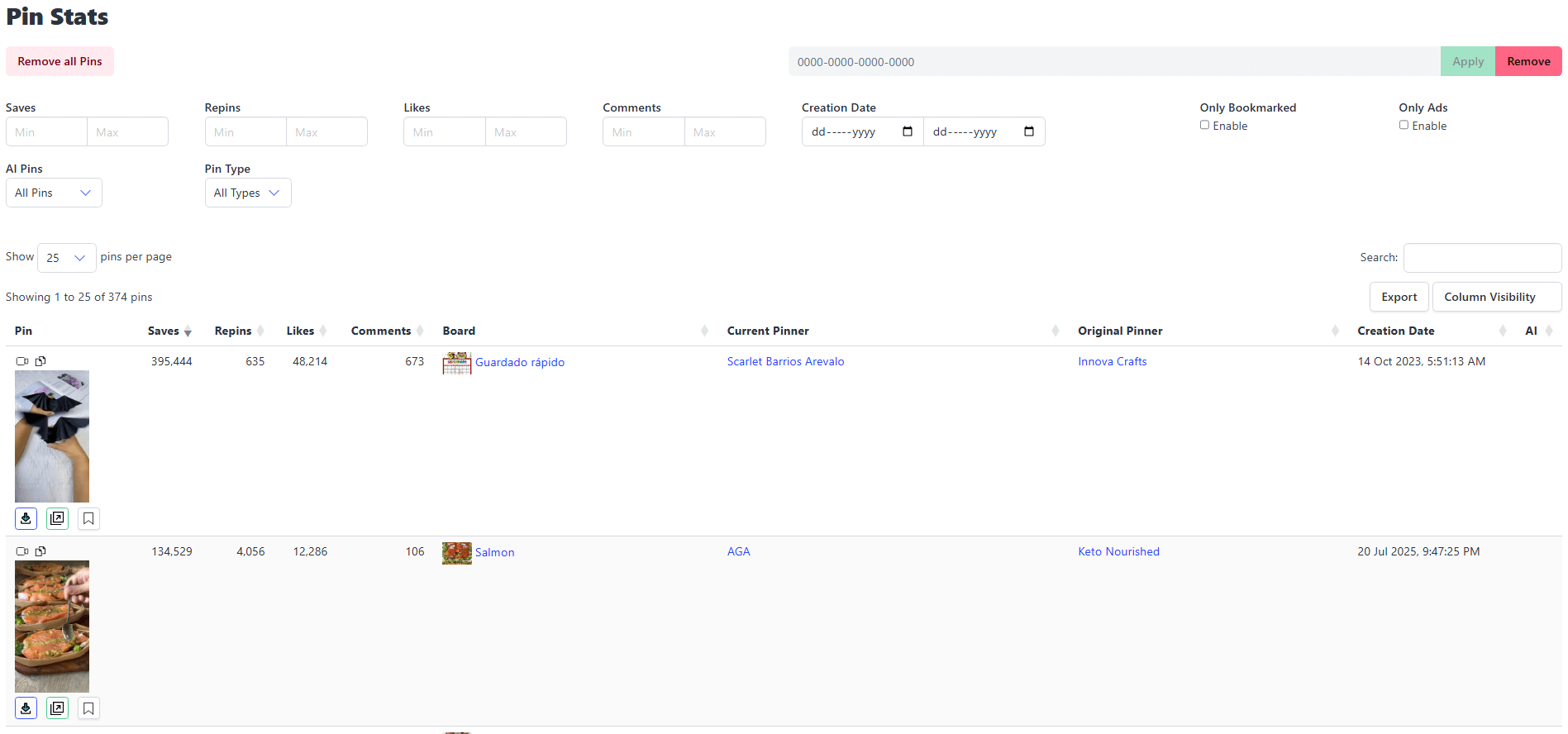 Dashboard and setup Column visibility:
 Export data to CSV/JSON:
Ready to Boost Your Pinterest Strategy?
Join thousands of creators and marketers who trust Pin Stats for their Pinterest analytics
Install Extension for Free